f-tree
f-tree iPad / iPhone App is also available. f-tree

A novel automated questionnaire-based pedigree chart creation software


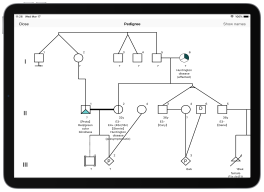
•f-tree is a software application that automatically creates medical pedigree chart of a family by simply using the family's information, which is provided in the questionnaires.
•Specialized knowledge of clinical genetics is not required to use the f-tree software.
•f-tree is fully compliant with the international recommendations provided for standardized human pedigree nomenclature.
•At present,f-tree proves to be the foremost tool, which is capable of creating the pedigree charts for genetic counseling.
•The application of f-tree software is not only limited to the heredity clinics, but can also used in genome cohort studies that can easily handle large volume of data, and secondary education.
•f-tree desktop version is available for both Windows and mac OS.
•f-tree iOS version is available for iPad and iPhone.


Adobe AIR must be installed to run f-tree desktop version

Click the icon below to download from the HARMAN website.

*From 2021, support for Adobe AIR has been transferred from Adobe to HARMAN, but you can still download it for free.

Get Adobe AIR

For mac users
*Hardware with Apple silicon such as M1 cannot start f-tree at first. This is due to a known issue with HARMAN AIR. To avoid this, right-click the f-tree icon in the application folder in Finder, select [Get Info], and check the [Open using Rosetta] check box in the displayed dialog.

Permission error


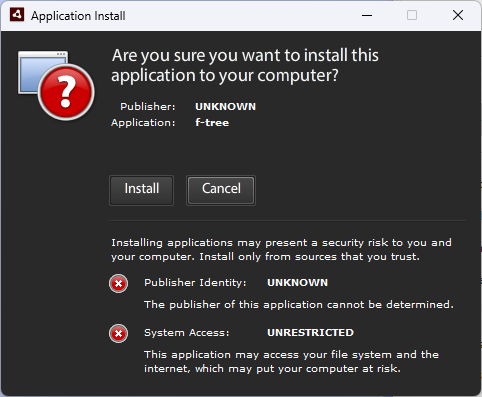
About the Installation Screen

You will see the following screen during installation. Simply click the 'Install' button to continue.

install window

Note: If a version earlier than Ver. 4.2.1 is already installed, the following error message will appear. In that case, please uninstall the existing application via Windows Settings before installing the new version.
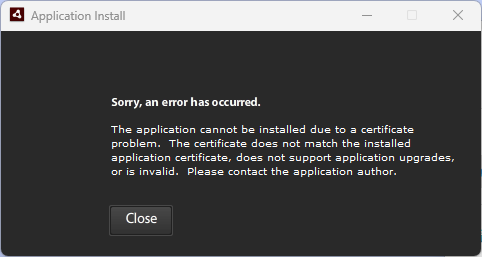
Install error


Download Form

f-tree users are requested to accept the terms of use before using the softwre for conference presentations, manuscript preparation, or commercial purposes.

I agree to the following terms regarding the use of the family tree preparation software (f-tree) (hereafter referred to as “the Software”) that are released by the Iwate Tohoku Medical Megabank Organization, Iwate Medical University (hereafter referred to as “the Organization”).

・In principle,the Software shall be provided free of charge.

・It shall be verified that the computer used for operation complies with the usage conditions and validation required by the Software.

・The user shall bear complete responsibility for installing and using the Software. The Organization confirms that it will not bear liability for any or all the problems that the user might experience while installing or using the Software. The Organization also confirms that it will not bear liability for any dispute between the user and the third party (including but not limited to a dispute concerning copyright or other issue related to intellectual property right).

・If the Software is used to prepare a presentation for an academic organization, a published article, a book, or an entry in a company's pamphlet, the user shall provide the URL that is used to distribute the Software and an acknowledgement for its use.

・All the rights, such as copyright to the Software and copies of the Software, shall solely belong to the Organization.

・The Software shall not be used for any other purpose and shall not be distributed to a third party.

・The Software shall not be entirely or partly revised, modified, reverse engineered, compiled, or assembled.

・None of the part of the Software shall be copied, corrected, loaned, sold, distributed, or transferred. Additionally, copying without authorization is completely prohibited.

・The Software shall not be used for any commercial activity (rental, pseudo-rental, or sales to a third party).

・It must be confirmed that when the user is authorized to use the Software, this neither explicitly nor implicitly grants the user a guarantee of any kind.

・It shall be confirmed that the Software might be improved or modified without any prior notification.


Please contact the following email address every time when researching,making a conference presentation, and presenting a paper with the software.

Also, please quote the following literature when using the software for an academic paper.
Tokutomi T, Fukushima A, Yamamoto K, Bansho Y, Hachiya T, Shimizu A. BMC Med Genet. 2017;18:71.

How did you find out f-tree?

Purpose of use

Age

Gender

Country

Occupation

"Ctrl + click to make multiple selections"

Ver4.2.2: Conformed to the newest recommendation (Bennett et al. 2022)

Ver4.1.0: Conformed to the previous recommendation (Bennett et al. 2008)


Update information

June 06, 2025
v4.2.2 Conformed to the newest recommendation (Bennett et al. 2022)
-Modified so that 'UAAB' is not displayed when the individual is in the prenatal stage (P) and the sex is unknown.
-Fixed an issue where attribute text overlapped with symbol shapes in the pedigree chart.


May 10, 2023
v4.2.1 Conformed to the newest recommendation (Bennett et al. 2022)
-Added cultural and social gender differences.
-Disabled to set carrier.
-Minor bug fixed.


February 07, 2022
v4.1.0 Conformed to the previous recommendation (Bennett et al. 2008)
-The layout of the questionnaire window has been completely improved.
-Added month input to age. Added day input to gestational age.
-Delimiter for disease name can be selected.
-Display an alert when you try to enter beyond the input range.
-Minor bug fixed.


June 11, 2021
v4.0.6
Set the gender default value to 'Unknown' when adding a new child.
Minor bug fixed.


Sep 14, 2020
v4.0.5
Improved security vulnerabilities.


July 07, 2020
v4.0.4
Bug fixed.


March 26, 2020
v4.0.3
Added a function to change the symbol size of individuals.


December 10, 2019
v4.0.2
Adjusted vertical size. Making the relationship line a polygonal line and align the height of the symbols. Bug fixed.


September 03, 2019
v4.0.1
Bug fixed.


September 02, 2019
v4.0.0
Added HL7 import function of family-t. Added family-t CSV import function. French language support. Added a function to set the location and number of characters under an symbol. File extension changed. Bug fixed.


Jun 11, 2018
v3.1.1
Bug fixed.


April 12, 2018
v3.0.1
Bug fixed.


January 29, 2018
v3.0.0
f-tree and f-treeGC integration.


December 2, 2017
GC v1.1.1


November 10, 2017
GC v1.1.0


October 18, 2017
GC v1.0.1


May 17, 2017
GC v1.0.0


January 5, 2017
v2.0.0


Jun 26, 2015
v1.1.5


March 19, 2015
v1.0.0


ABOUT f-tree

f-tree software has been mutually developed by the Clinical Genetics Department of Iwate Medical University and Holonic Systems Ltd.
f-tree has a registered trademark (5777066) with a patent pending (2017-068503) in Japan.
It will work on the Adobe AIR. We tested it on the operating systems,including MAC OS X and Windows 7 / 8.1 / 10.
https://get.adobe.com/air/
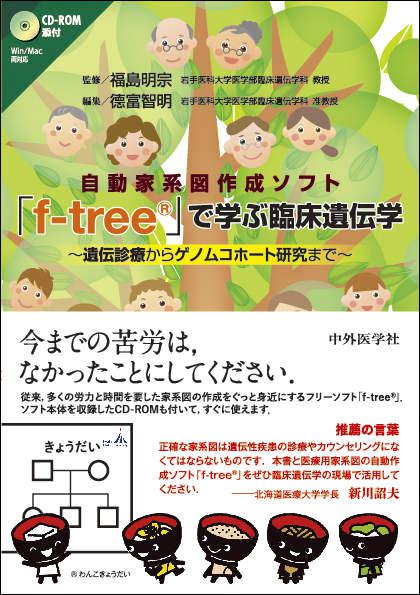
A video,explaining the usage of f-tree ver. 1.1.5, is made available on TOGO TV.
Produced by Dr. H. Ono and Dr. H. Bono of Database Center.
 

INFORMATION

2016-04-03
We exhibited f-tree at ICHG2016  13th International Congress of Human Genetics.
 http://www.ichg2016.org/
2016-03-30


HOW TO USE

Installing and Launching f-tree
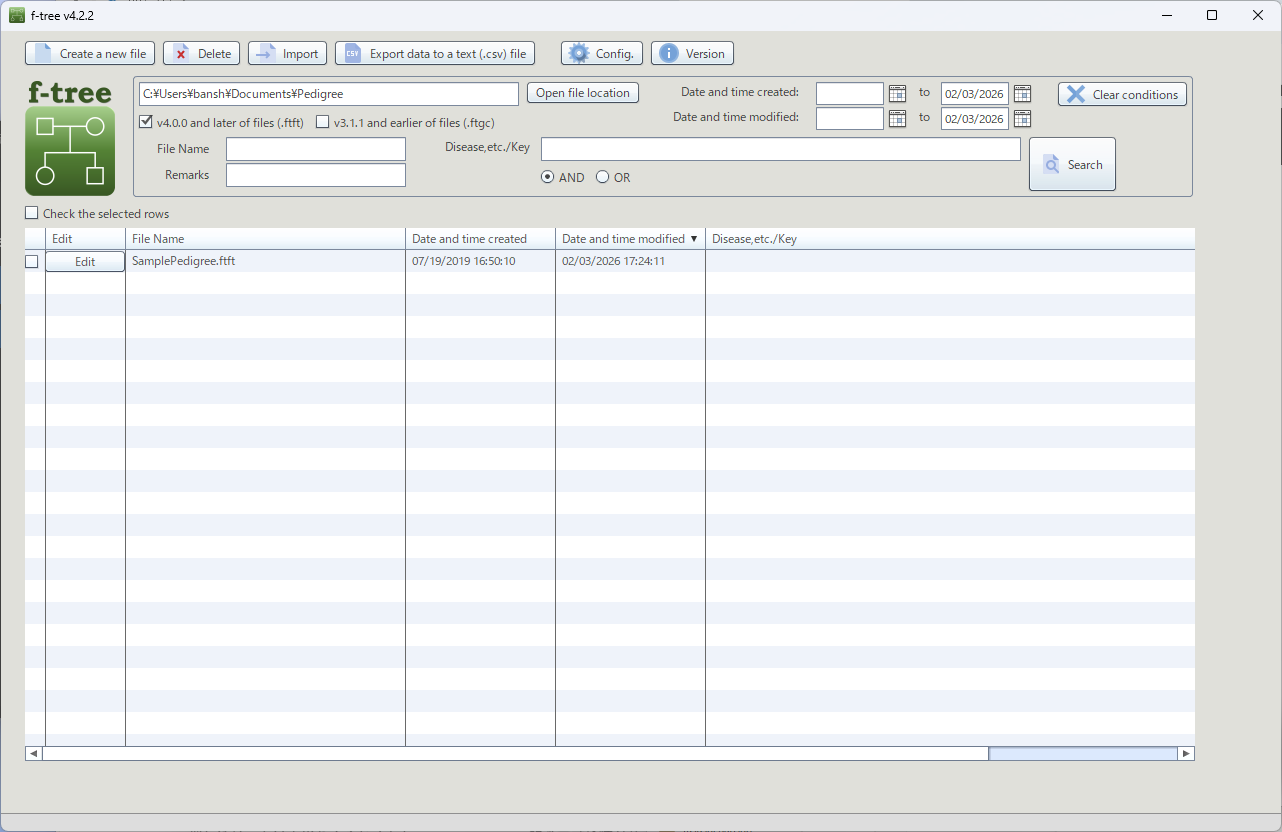
Home Screen

•Install the free software Adobe AIR and Adobe Acrobat Reader DC in advance.
•Download the installer (f-treex.x.x.air) from the link provided on this website.
•Open the downloaded file to start the installation, and follow the on-screen instructions.
•When f-tree is launched, the Home screen appears. Click “Create a new file” in the upper-left corner to open the data entry screen.
•Select the client’s sex first (gender can also be specified in f-tree ver. 4.2.2). Once set, the sex cannot be changed.

Entering Information in the Multiple-Choice questionnaire
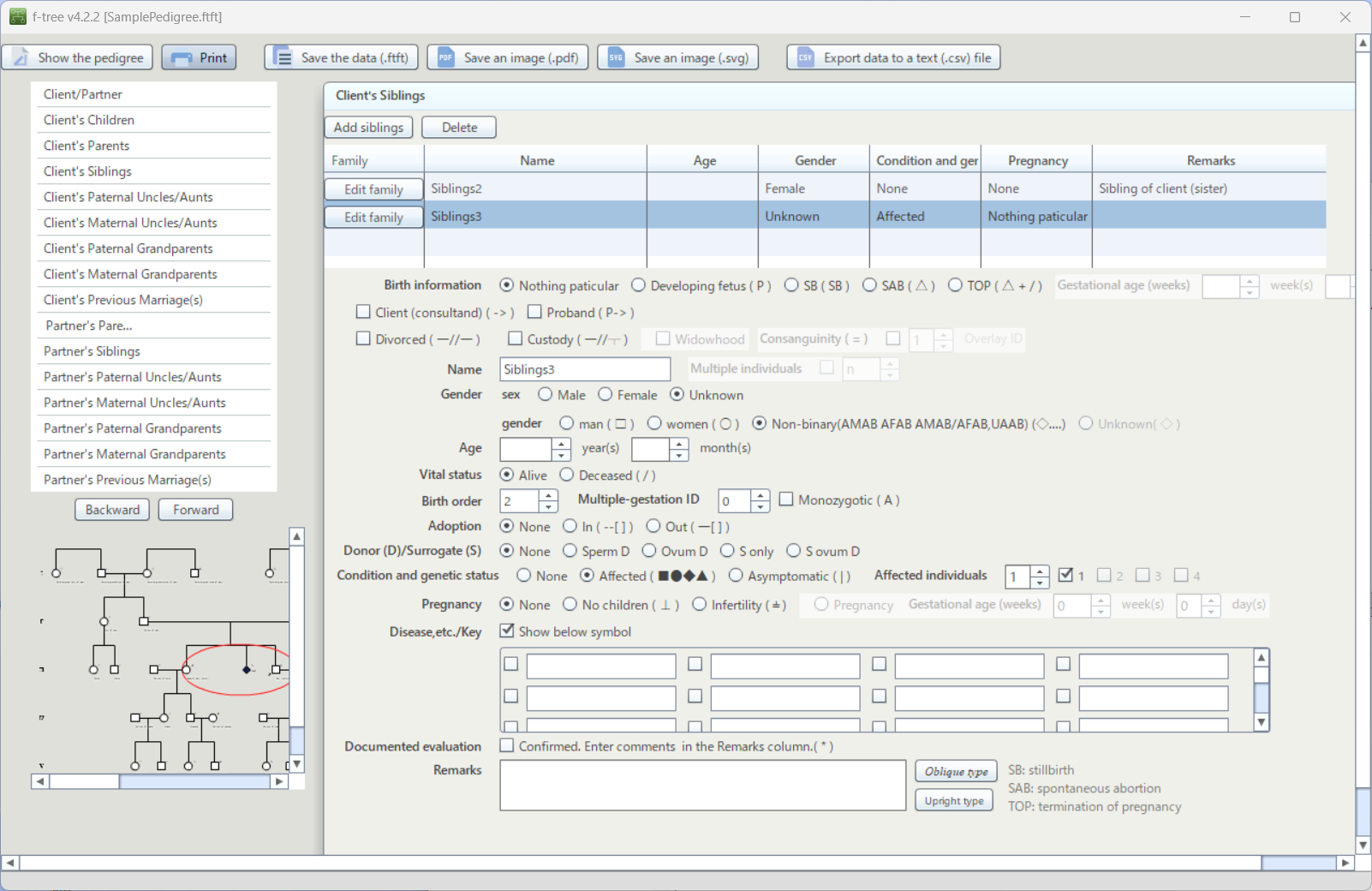
Input Screen

•Adding Family Members, etc.
Use Add ○○, Delete, Unknown, or Register ○○ (appearing in the list) at the top of the questionnaire to add entries as needed. To edit information, select the relationship of the individual you want to edit from the list on the left showing family relationships, or use Back / Next to navigate. Alternatively, right-click an individual in the family tree and select Edit to open the input screen.

•Birth Information
Selecting In Developing Fetus(P), Stillbirth(SB), Spontaneous Abortion(SAB), or Termination of Pregnancy(TOP) changes the individual symbol accordingly. For stillbirths, be sure to select the gender. If known, enter the gestational age (weeks).

•Client (Consultand)
The initially entered client is pre-selected with a checkmark (☑). If there are multiple clients, check the corresponding family members.

•Proband
Check (☑) the applicable family member.

•Divorced
Check (☑) if applicable.

•Custody
For divorced couples with children, check (☑) the individual who primarily has custody of the children.

•Widowhood
Check (☑) if the individual was previously married and the spouse has died.

•Consanguineous Marriage
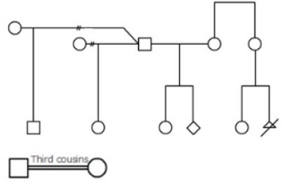
Only marriages between first cousins are supported. Check (☑) the two applicable individuals and use ▲▼ to assign the same overlapping ID number.

•Name
Enter the name by overwriting the pre-displayed relationship label. The entered name will only be displayed after selecting Show Name by right-clicking the individual in the family tree. Names are not displayed in images saved via 'Save an Image(.pdf/.svg)'. To save an image with names, either take a screenshot of the family tree with names displayed or enter the names in the Remarks field described below.

•Gender
Select Male, Female, or Unknown.

•Multiple Individuals
Leave the age field blank, check Multiple Individuals (☑), and enter the number of individuals. Using ▲▼, you can select numbers ≥2 or n to indicate an unknown number.

•Age
Enter directly or select a number or ? (unknown) using ▲▼.

•Vital Status
For deceased individuals, select Deceased and enter the age at death in the age field.

•Birth Order
Change the number using ▲▼ to modify the order among siblings. Birth order can be adjusted after adding siblings. Numbers are automatically assigned starting from 1, so this operation is required when adding an older brother or sister later.

•Multiple Birth ID
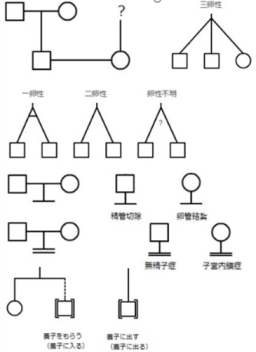
For twins, triplets, etc., use ▲▼ to assign the same Multiple Birth ID to the relevant individuals. Check (☑) Monozygotic for identical twins. If unknown, enter this in Remarks, or right-click within the family tree display, select Add Comment, and enter ?.

•Adoption
Select as necessary.

•Donor(D)/Surrogate
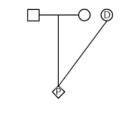
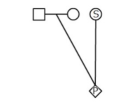
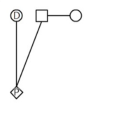
For individuals born via donor or related methods, select as appropriate from Sperm Donation(Sperm D), Ovum Donation(Ovum D), Surrogate Only(S only), or Surrogate + Ovum Donation(S Ovum D).

•Affected Status
Selecting Affected, Asymptomatic changes the individual symbol accordingly.

•Multiple Conditions
Activated when Affected is selected. If multiple disease-related symptoms are observed within the family, select a number from 2 to 4 using ▲▼. The individual symbol is divided into equal sections; selecting the corresponding checkboxes on the right colors each section according to the individual's symptoms. Details of the symptoms should be entered in Disease,etc./Key or Remarks (described below), or summarized as a legend using the Comment function in the family tree display.

•Pregnancy, etc.
Select as appropriate from Pregnant, No Children, or Infertility (for males, Pregnant and Gestational Age are inactive). If the reason for no children or infertility is known, enter it in Remarks. If infertility applies to both spouses, select the same option for both individuals. Selecting Pregnant automatically adds a fetus of unknown gender to the next generation. Fetuses can also be added using Add ○○ at the top of the questionnaire (after adding, select In utero under Birth Information).

•Gestational Age(weeks)
Enter directly or select a number or ? (unknown) using ▲▼.

•Disease,etc./Key
The 32 input fields are shared across all family members; entered content is reflected for all individuals. An item applies to an individual only after checking (☑) the box on the left. When Show Disease Name(s) Below Individual is checked, only the selected items for each individual are displayed in the family tree.

•Remarks
Enter free-text information related to the individual. Gene names, etc. can be formatted in italics as needed. Press the Upright button to cancel italics.

Operations on the Pedigree Screen
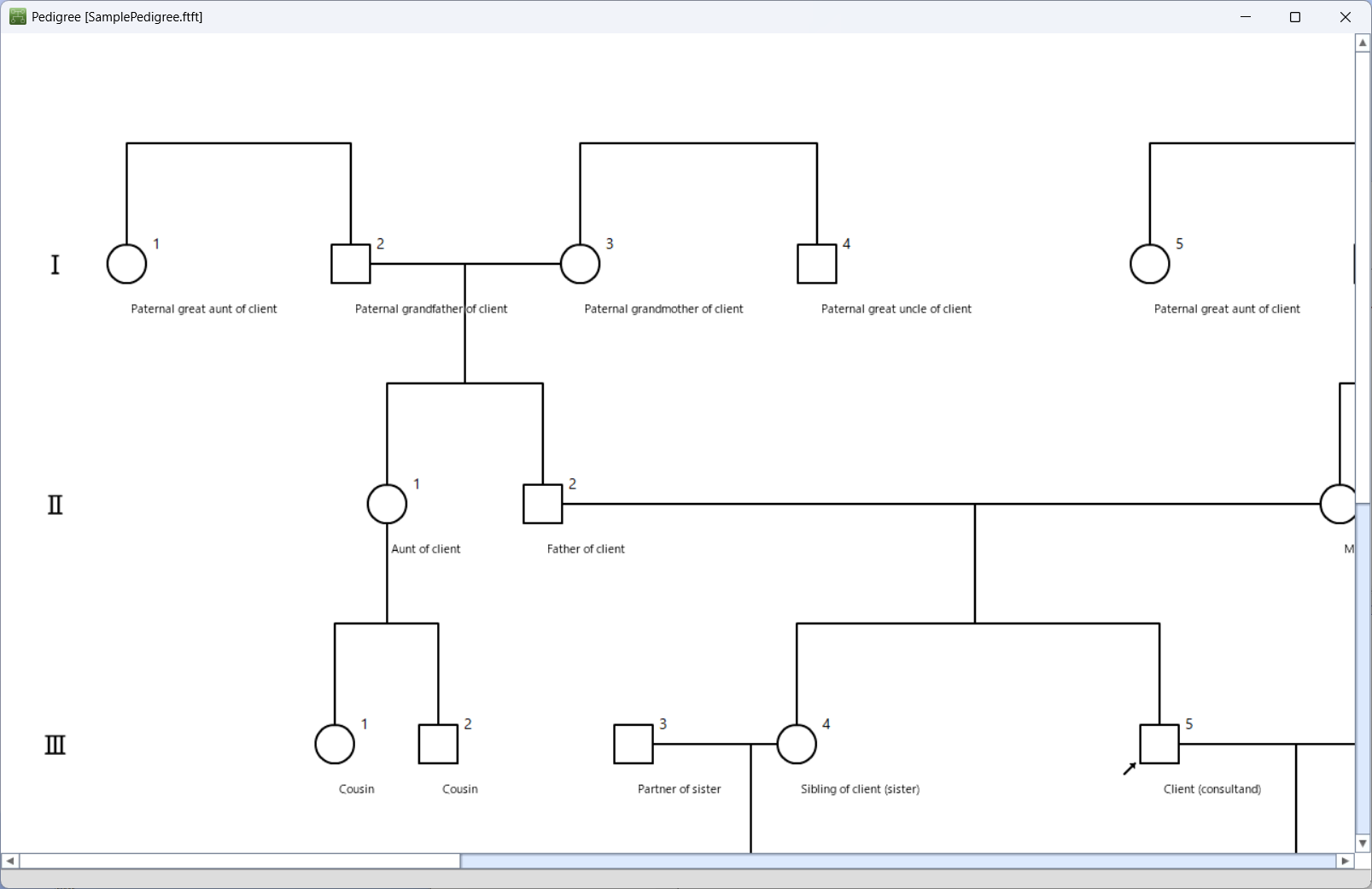
Pedigree Screen

•Family Tree Display
The family tree is shown in the Pedigree view. The following operations are available on this screen.

•Comment Function
Right-click on an area other than an individual in the family tree and select Add Comment. A text box appears in the upper-left corner of the window; enter the text and move it to the desired location. To delete a comment, right-click on the comment and select Select, then right-click again and choose Delete Comment.

•Show Names
Right-click on an area other than an individual in the family tree and select Show Names. To hide the names, right-click again and select Show Names (checked) to toggle it off.

•Edit
Right-click on an individual and select Edit to open the questionnaire input screen for that individual.

Saving Data and Images

•Saving Data
Family history data is saved in the original file format (.ftft). Click Save Data (.ftft) at the top of the questionnaire input screen to open the file settings dialog. You can change the creation date and time and last modified date and time, set a password, or mark the file as read-only. By default, files are saved in the Pedigree folder, but the save location can be changed. The file name is automatically assigned as “YYYYMMDD_HHMMSS” (date and time of last update), but it can be edited. To display previously saved files, check Files prior to v3.1.1 (.ftgc) and search.

•Saving Images
Family tree images can be saved using Save an Image (.pdf) or Save an Image (.svg). The file name follows the same naming rule as the data files described above.

Operations on the Home Screen
Home Screen

•Changing Settings
Click Settings to open the settings screen.
You can modify the following options:

-Color of affected : (for multiple conditions, displayed using different shades of the selected color)
-Display Language : (Japanese, English, French)
-Position : Text position of Disease Name(s) and Remarks on the family tree (directly below the symbol or bottom right)
-Line break settings (character count and delimiter)
-Delimiter : Delimiter for the disease name. (Space/Slash/Comma) -Height of spousal relationship lines
-Size of individual symbols
-Maternal pregnancy input (turning ON/OFF the function to add a fetus from the input screen)

To apply a language change, the software must be restarted.

•Search
You can search for files within the folder displayed as the save location. Search conditions can be specified, such as creation date, last modified date, and file name.

•Create New file / Edit / Delete
Use Create New file, Edit, and Delete respectively.

•Data Export
Using CSV Export, selected files can be exported in bulk. Individual files can also be exported from the selection-based questionnaire screen.


PRIVACY POLICY

Holonic Systems, Ltd. ("us", "we", or "our") operates the website and f-tree application (the "Service"). This page informs you of our policies regarding the collection, use, and disclosure of personal data when you use our Service . We use your data to provide and improve the Service. By using the Service, you agree to the collection and use of information in accordance with this policy.
 
1.Information Collection
When registering for use, we ask that you enter personal information such as purpose of use, age, gender, region, occupation, etc. as a questionnaire. Also, when you make an inquiry, we ask you to enter personal information such as organization, name, and email address.
 
2.purpose of use
For the provision and operation of our services To answer inquiries from users (including verification of identity) To send e-mails about new features, updates, campaigns, etc. of the service you are using and other services provided by our company. For maintenance, important notices, etc. to contact you as needed To identify users who violate the terms of use or who intend to use the service for fraudulent or unreasonable purposes, and refuse to use the service. To aggregate questionnaires and analyze usage status.
 
3.Change of purpose of use
We shall change the purpose of use of personal information only when it is reasonably recognized that the purpose of use is related to that before the change If the purpose of use is changed, the changed purpose shall be announced on this website.
 
4.Provision of personal information to a third party
We will not provide personal information to a third party without the prior consent of the user, except in the following cases. When it is necessary to protect the life, body or property of a person and it is difficult to obtain the consent of the person. When it is particularly necessary to improve public health or promote the sound development of children, and it is difficult to obtain the consent of the person. When it is necessary for a national institution or a local public body or a person entrusted with it to cooperate in carrying out the affairs stipulated by laws and regulations, obtaining the consent of the person will hinder the performance of the affairs. When there is a risk of exerting
 
5.Disclosure Of Data
When requested by the person to disclose personal information, we will disclose it to the person without delay. However, if the disclosure falls under any of the following, we may not disclose all or part of it, and if we decide not to disclose it, we will notify you to that effect without delay. When there is a risk of harming the life, body, property or other rights and interests of the person or a third party When there is a risk of significant hindrance to the proper implementation of our business When it violates other laws and regulations Notwithstanding the provisions of the preceding paragraph, in principle, we will not disclose information other than personal information such as history information and characteristic information.
 
6.Correction and deletion of personal information
If the personal information is incorrect, the user can request us to correct, add or delete the personal information. If we determine that it is necessary to respond to the request from the user, we shall correct the personal information without delay. We will notify the user without delay if we make a correction or if we decide not to make a correction.
 
7.Privacy policy changes
The contents of this policy may be changed without notifying the user, except for laws and regulations and other matters specified otherwise in this policy. The changed privacy policy shall take effect from the time it is posted on this website.
 
Contact Us If you have any questions about this Privacy Policy, please contact us:
 
By visiting this page on our website: http://www.holonic-systems.com/f-tree/en/index.html#contact


CONTACT

ORGANIZATION
NAME

EMAIL
CONTENTS

  
Copyright c 2016 - 2020 Holonic Systems, Ltd. All Rights Reserved.
TO top of the page.